Category Archives: Backup Power

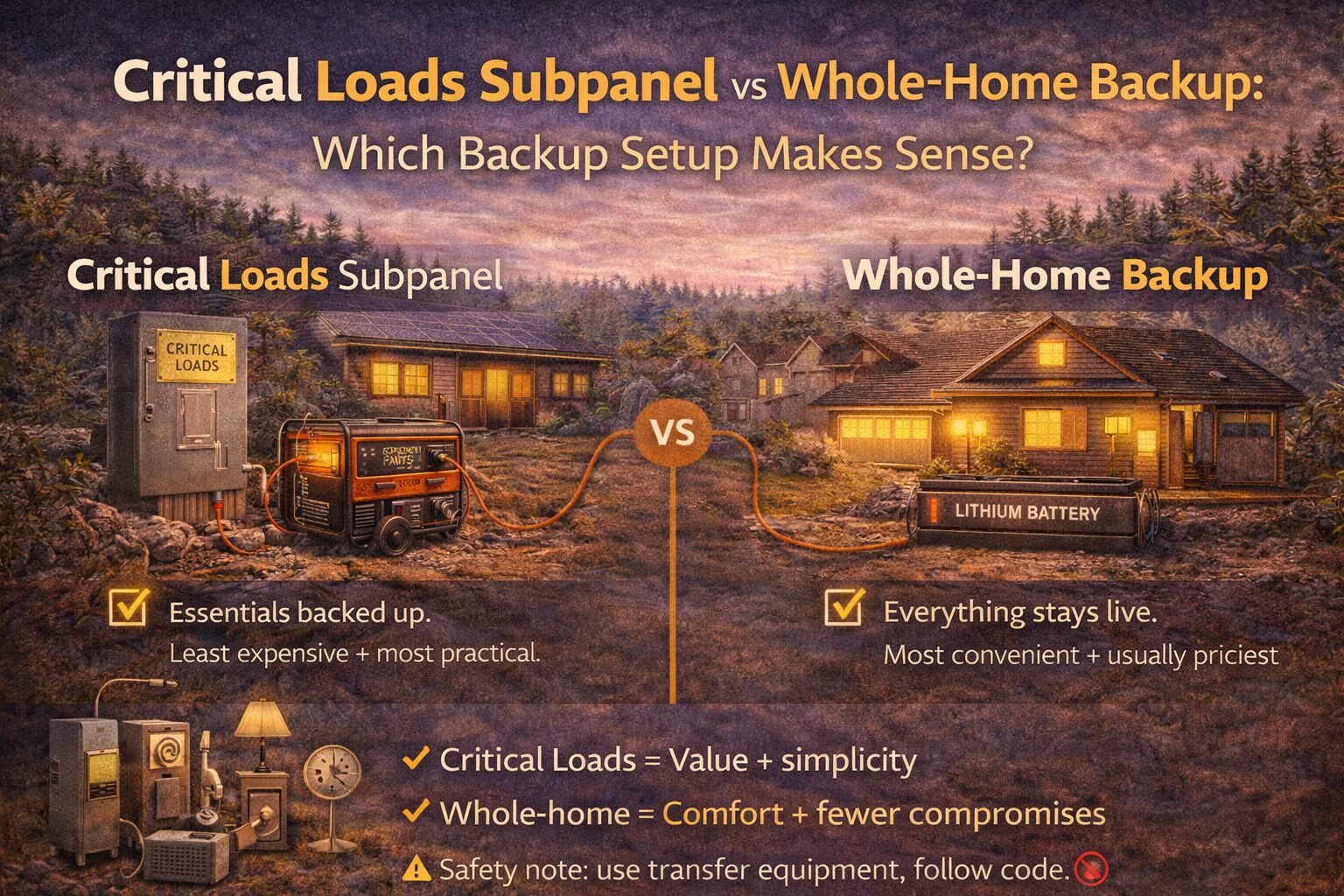
Critical Loads Subpanel vs Whole-Home Backup: Which Backup Setup Makes Sense?

Critical loads subpanel or whole-home backup? Compare cost, complexity, comfort, and sizing so you pick the right setup for outages without overspending.

If you’ve been researching home backup power for more than 15 minutes, you’ve probably hit this fork in the road:

Do I back up just a few critical circuits… or the whole house?

And the internet answers it like this:

  • “Whole-home is best!”
  • “Critical loads are cheaper!”
  • “It depends!” (my least favorite answer)

So let me make this practical.

In this post, I’ll walk you through:

  • What a critical loads subpanel is
  • What whole-home backup really means
  • What usually costs more (and why)
  • simple decision paths so you can pick without regret

If you’re new to the backup power pillar, start here:
Backup Power for MicroHomesteads: Batteries, Generators & Critical Loads


TL;DR

  • Critical loads subpanel = back up the essentials (fridge, Wi-Fi, lights, fans, medical). Cheapest + most practical.
  • Whole-home backup = your whole panel stays live. Most convenient, often most expensive.
  • Critical loads wins when you want value + simplicity. Whole-home wins when you need comfort + fewer compromises.
  • Your loads list decides everything. Start here: Critical Loads List: What to Back Up First (Fridge, Wi-Fi, Lights & More)

What’s the difference?

Critical loads subpanel (a.k.a. “essentials panel”)

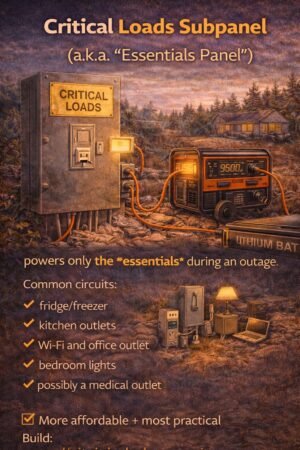
A critical loads subpanel is a separate, small panel that contains only the circuits you want powered during an outage.

Think of it like a “VIP section” for electricity.

Common circuits you’d put on it:

  • fridge/freezer
  • kitchen outlets (maybe just one circuit)
  • Wi-Fi/router and office outlet
  • bedroom lights
  • bathroom outlet
  • medical device outlet
  • maybe a small pump or a few specific outlets

During an outage, your battery system (or generator + transfer setup) powers that panel.

Whole-home backup

Whole-home backup means the entire main panel can stay energized during an outage—so any circuit can run.

Important note: “whole-home” does not automatically mean “run everything at once like normal.”
It means the panel is live, and then your system still has limits (battery kWh, inverter kW, surge, etc.).


The biggest misconception: whole-home doesn’t mean unlimited

Even with whole-home backup, you still have to respect:

  • kWh (how long you can run things)
  • kW (how much you can run at once)
  • surge (motor startup spikes)

If these terms are fuzzy, read this first:
Battery Sizing 101: kWh vs kW vs Surge (Explained Simply)


Pros and cons (the honest version)

Critical loads subpanel — Pros

Cheaper to build and size
You’re only paying to power what matters.

Smaller battery and inverter needs
If you’re not trying to cover AC/dryer/oven, your system can be much simpler.

Less “accidental overload” risk
Because only selected circuits are live during outage mode.

Great for microhomesteads and realistic backup goals
It matches how most people actually live during outages anyway.

Critical loads subpanel — Cons

❌ You must choose circuits ahead of time
(You can change them later, but it’s not as flexible.)

❌ Some homes need extra electrical work to do it cleanly
(Depends on panel layout and wiring.)


Whole-home backup — Pros

Convenient
No “which outlet is backed up?” confusion.

Flexible
You can decide what to run in the moment.

✅ Works well with smart load management
Some systems can automatically shed big loads to prevent overload.

Whole-home backup — Cons

Usually more expensive
Because you’re designing for higher peak loads and more complexity.

❌ Easier to overload if you forget you’re on backup
Someone turns on the oven + dryer, + microwave, and the system says “nope.”

❌ More likely to trigger “hidden costs (electrical).”
Service upgrades, panel work, subpanels, transfer equipment, etc.

Read this early (it saves money):
Hidden Costs of Solar: Avoid Budget-Killing Surprises


Cost + complexity: what typically changes the price?
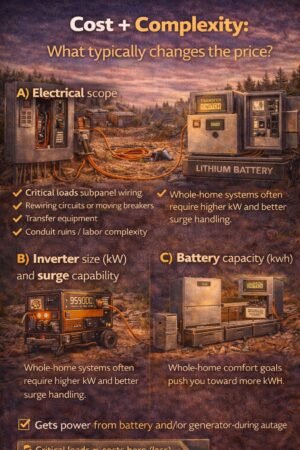
I’m not going to throw random national averages at you (they vary wildly). Instead, here are the cost drivers that matter everywhere:

A) Electrical scope

  • critical loads subpanel wiring
  • rewiring circuits or moving breakers
  • transfer equipment
  • conduit runs / labor complexity

B) Inverter size (kW) and surge capability

Whole-home systems often require higher kW and better surge handling.

C) Battery capacity (kWh)

Whole-home comfort goals push you toward more kWh.

D) Load management tools

Whole-home backup often benefits from load-shedding or monitoring.


Step-by-step decision process (simple and fast)

Step 1) Build your critical loads list

Do this first:
Critical Loads List: What to Back Up First (Fridge, Wi-Fi, Lights & More)

Even if you end up going whole-home, this list tells you what you actually care about.


Step 2) Ask: What’s your outage reality?

Pick one:

  • Short outages (hours to 1 day)
  • Storm outages (1–3 days)
  • Long disruptions (3+ days)

If you’re planning for multi-day outages, also read:
Generator Integration: How to Pair a Generator With Solar + Batteries (Without Headaches)
Because generator integration can be cheaper than stacking batteries forever.


Step 3) Do you have any “big loads” you refuse to live without?

Examples:

  • central AC
  • well pump (can be huge surge)
  • electric range/oven
  • electric water heater
  • dryer

If you “must” run big loads, the critical loads subpanel may still work… but you’ll be much more selective (or you’ll add a generator + specific circuits).


Step 4) Choose your path

Path A: Choose a critical loads subpanel if…

  • You want maximum value
  • You can live without big appliances during outages
  • You prefer a system that’s hard to overload accidentally
  • Your goal is “keep it running,” not “live like normal.”

Path B: Choose whole-home backup if…

  • You want a seamless experience
  • You’re willing to pay more for convenience
  • You’ll use monitoring/load management responsibly
  • You have medical needs or business needs that justify comfort + flexibility

Real-world examples (what this looks like)
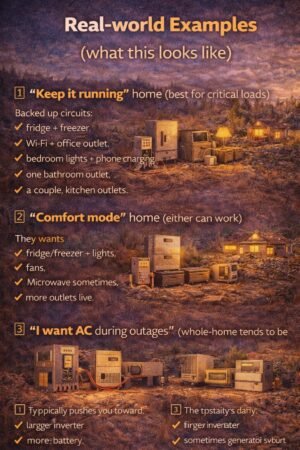
Example 1: “Keep it running” home (best for critical loads)

Backed-up circuits:

  • fridge + freezer
  • Wi-Fi + office outlet
  • bedroom lights + phone charging
  • one bathroom outlet
  • a couple of kitchen outlets

This usually pairs well with:

  • modest battery sizing
  • good surge handling for fridge/freezer
  • optional generator for long cloudy stretches

Example 2: “Comfort mode” home (either can work)

They want:

  • fridge/freezer + lights
  • fans
  • microwave sometimes
  • more outlets live

This can go either way:

  • a bigger critical loads subpanel, or
  • whole-home with careful load use

Example 3: “I want AC during outages” (whole-home tends to be more realistic)

This typically pushes you toward:

  • larger inverter
  • more battery
  • Sometimes generator support
  • load management

Common mistakes (that cost money)

Mistake #1: Choosing whole-home because it “sounds better.”

Whole-home is great… if you can afford the kW/kWh that matches your expectations.

Mistake #2: Building a critical loads panel but forgetting the “surge” issue

Fridge compressors, pumps, and motors can trip smaller inverters.

Mistake #3: Forgetting the hidden electrical work

A lot of backup projects are really “electrical projects with a battery attached.”

Read this early:
Hidden Costs of Solar: Avoid Budget-Killing Surprises


Safety note (please don’t skip)
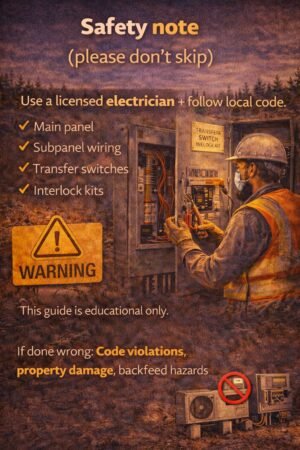
Anything involving your main panel, subpanel wiring, transfer switches, or interlocks should be handled by a licensed electrician and follow local code. This post is educational only.


FAQ

Do I need a critical loads subpanel if I have a power station?

Not always. Many people run a fridge and a few essentials with extension cords in an outage. It’s not as clean or seamless, but it can work for “simple backup.”

Does whole-home backup increase my electric bill?

Not directly. It’s about outage capability, not regular grid use. But it can indirectly encourage running more loads during outages, which increases backup system needs.

Can I start with critical loads and upgrade later?

Yes—and that’s honestly one of the smartest approaches. Build a reliable “survive-first” system, then expand if you find you really want more comfort.


Next step

  1. Make your list: Critical Loads List: What to Back Up First (Fridge, Wi-Fi, Lights & More)
  2. Do the math: /Battery Sizing 101: kWh vs kW vs Surge (Explained Simply)
  3. If you’re planning for multi-day outages: Generator Integration: How to Pair a Generator With Solar + Batteries (Without Headaches)
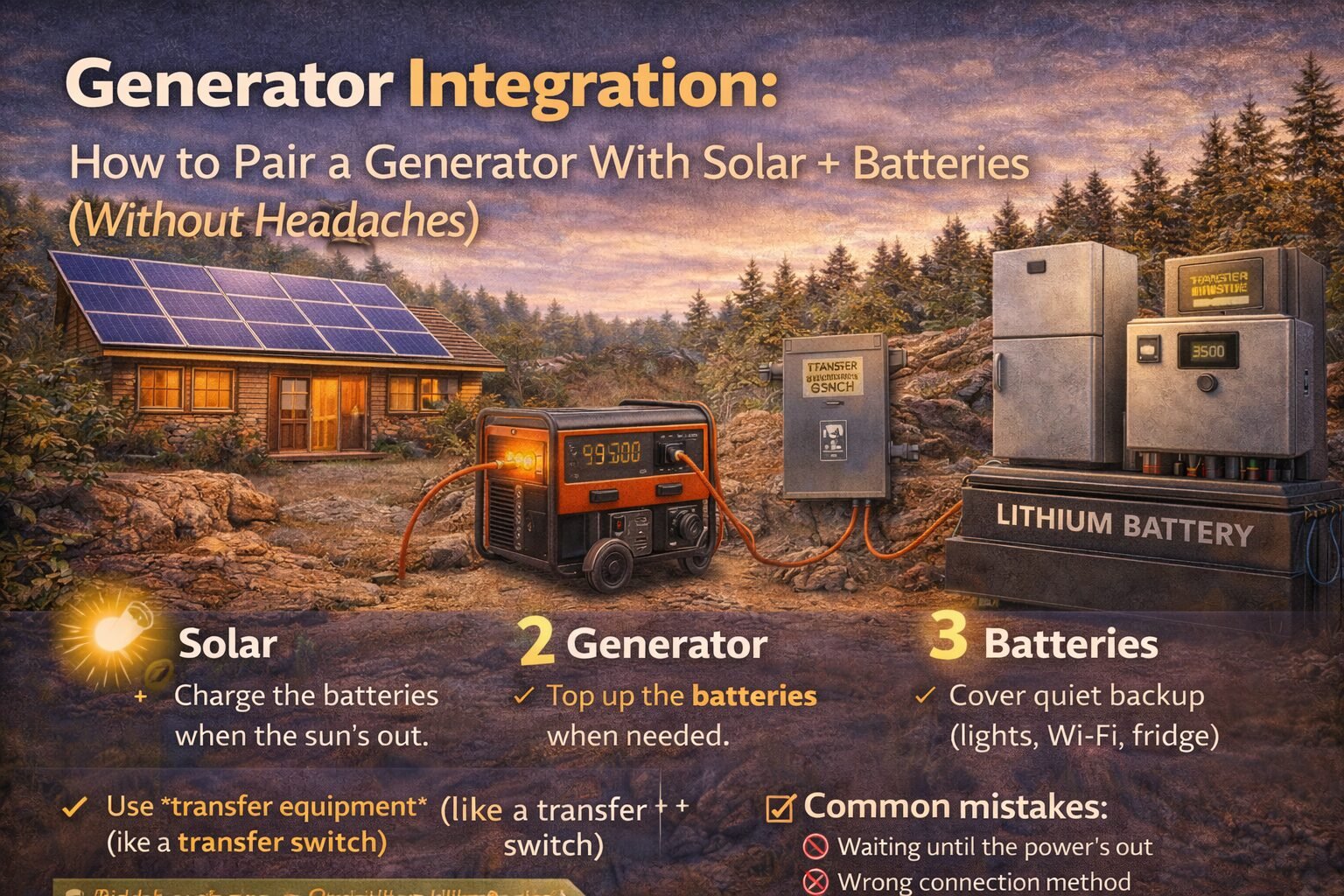
Generator Integration: How to Pair a Generator With Solar + Batteries (Without Headaches)
Learn how generator integration works with solar + batteries: when it’s worth it, safe connection options, sizing tips, and common mistakes to avoid.

Understanding generator integration with solar systems is crucial for optimal performance.

Generator integration with solar offers flexibility in energy management.

With generator integration with solar, you can ensure a consistent power supply.

Proper generator integration with solar systems provides peace of mind during outages.

Utilizing generator integration with solar can maximize efficiency and save costs.

Generator integration with solar is key to a sustainable energy future.

Smart generator integration with solar systems can lower your energy bills.

Learn about generator integration with solar for enhanced power reliability.

I used to think adding a generator to a solar + battery setup was “cheating.”

Then I lived through enough real-world outage scenarios (cloudy days, weird load spikes, long restoration times) to realize something:

Generator integration with solar is becoming increasingly popular for home setups.

A generator isn’t the enemy. A generator is your “plan B” when the sun doesn’t cooperate.

The concept of generator integration with solar is essential for modern energy solutions.

If your backup goal is “hours,” batteries are often enough.
If your backup goal is “days,” generator integration with solar can be the cheapest and most reliable way to get there.

This post explains how to pair a generator with solar + batteries without creating a Frankenstein system.

This post explains how to pair a generator with generator integration with solar + batteries without creating a Frankenstein system.

New to the whole backup topic? Start here:
Backup Power for MicroHomesteads


TL;DR

  • Batteries are great for quiet, instant backup. Generators are great for long runtime.
  • The “sweet spot” is often: battery covers the first 6–24 hours, generator covers multi-day stretches.
  • You must integrate safely: use transfer equipment (not backfeeding).
  • Size for your critical loads, not your whole house.
  • Biggest mistakes: ignoring surge loads, wrong connection method, and “hidden electrical costs.”

Related:


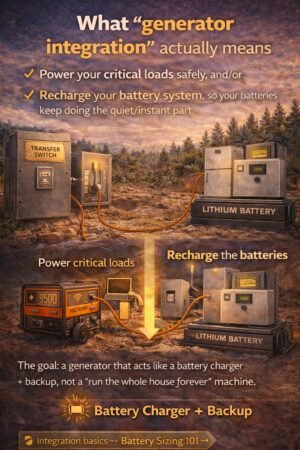
What “generator integration” actually means

Generator integration with solar is a smart choice for energy independence.

Consider generator integration with solar for seamless energy transitions.

Generator integration just means your generator can:

Generator integration with solar can provide a reliable backup during emergencies.

Ensure safety with proper generator integration with solar systems.

Generator integration with solar technology offers innovative solutions for energy users.

  1. Power your critical loads safely, and/or
  2. Recharge your battery system, so your batteries keep doing the quiet/instant part.

Explore the benefits of generator integration with solar for your home or business.

Effective generator integration with solar can enhance sustainability efforts.

The best systems use the generator as a battery charger, not as a “run the whole house forever” machine.

Generator integration with solar ensures a greener solution for energy needs.


When a generator makes sense (and when it doesn’t)

A generator is usually worth it if…

Utilizing generator integration with solar systems can help reduce reliance on fossil fuels.

  • You want multi-day backup, and your area gets cloudy storm stretches
  • You rely on a freezer, medical equipment, or a home office
  • You have high surge loads (pumps, motors) that can trip smaller battery inverters
  • Your budget is limited, and you’re deciding between “more battery” vs. “generator plan.”

Generator integration with solar helps manage energy costs effectively.

Compare options to find the best generator integration with solar for your needs.

Generator integration with solar allows for a more adaptive energy approach.

A generator might be unnecessary if…

Maximize your energy resources with generator integration with solar.

  • Your outages are short and rare
  • Your solar can reliably recharge your batteries daily (no major cloudy stretch risk)
  • You’re happy with “overnight only” backup

Generator integration with solar is vital for energy efficiency in the modern home.

Consider professional guidance for successful generator integration with solar.


Step-by-step: the simple integration plan

Explore the innovations in generator integration with solar for reliable energy solutions.

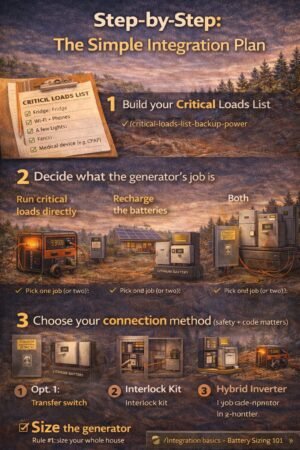
This is the cleanest way to think about it:

Step 1) Build your Critical Loads List

Start here:
Critical Loads List: What to Back Up First (Fridge, Wi-Fi, Lights & More)

If you skip this step, you’ll oversize everything and waste money.


Step 2) Decide what the generator’s job is

Pick one job (or two):

Job A: “Run critical loads directly.”

This is common if you don’t have a battery system yet.

Job B: “Recharge the batteries.”

This is common if you have (or want) a battery system and you want the generator to run less often.

Job C: “Both”

A lot of hybrid setups can do both, depending on the equipment.


Step 3) Choose your connection method (safety + code matters)

This is the part where I’m going to be blunt:

Do not backfeed your home through a dryer outlet or a sketchy plug.
It’s dangerous and illegal in many places, and it can put utility workers at risk.

Here are the legit options you’ll hear about:

Option 1: Transfer switch (common, clean)

  • Designed to safely switch your home/critical loads between the grid and the generator
  • Often used for “generator → loads” setups
  • Can be manual or automatic (more expensive)

Option 2: Interlock kit (often cheaper, still legit when installed correctly)

  • Mechanically prevents the main breaker and generator breaker from being on at the same time
  • A cost-effective solution in many homes
  • Still needs correct installation and labeling

Option 3: Hybrid inverter/battery system with generator input

  • Many battery/inverter systems can accept generator input and manage charging
  • This is usually the “smoothest” user experience if you’re building a solar+battery system anyway

Safety note: anything involving your panel, transfer equipment, or permanent wiring should be done by a licensed electrician and meet local code. This is educational.


Step 4) Size the generator (the practical approach)

Generator sizing is where people either overspend or regret everything.

Generator integration with solar enhances the resilience of power systems.

Rule #1: Size for critical loads, not your whole house

Efficient generator integration with solar is essential for modern homes.

Achieve energy independence through generator integration with solar systems.

If your critical loads are:

  • fridge + freezer
  • Wi-Fi + lights
  • fans
  • laptop charging

…you usually don’t need a monster generator.

Rule #2: Respect surge loads

Motors (fridge compressors, pumps) have a startup surge. If you have a well pump, treat it as a special case.

If you want the simple breakdown of kW vs surge:
Battery Sizing 101: kWh vs kW vs Surge (Explained Simply)

Rule #3: Decide your generator “strategy”

There are two strategies I see most often:

Strategy A: “Run everything directly.”

Learn how generator integration with solar technology can benefit your lifestyle.

Generator integration with solar allows for seamless energy management.

  • Generator must handle peak loads + surge
  • More fuel use, more noise time

Strategy B: “Charge batteries + let batteries run loads”

  • The generator runs in shorter bursts
  • Batteries handle peaks and surges
  • Usually quieter overall and can be easier on fuel

The “battery + generator” pattern that works really well

Here’s the pattern I like for microhomesteads:

1) Batteries cover the immediate outage

  • No noise
  • No warm-up
  • Keeps essentials stable

2) Generator kicks in only when needed

  • Recharge batteries
  • Carry you through long cloudy stretches
  • Prevents battery depletion anxiety

3) Solar helps whenever it can

  • Every sunny hour reduces fuel runtime

This creates a system that feels calm instead of chaotic.


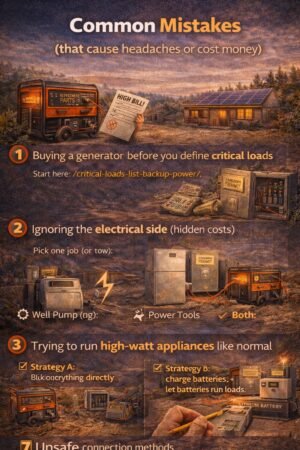
Common mistakes (that cause headaches or cost money)

Mistake #1: Buying a generator before you define critical loads

That’s how you end up with a generator sized for “everything,” then you hate the fuel use and noise.

Start here:
Critical Loads List: What to Back Up First (Fridge, Wi-Fi, Lights & More)

Mistake #2: Ignoring the electrical side (hidden costs)

Integration can trigger:

  • panel work
  • permits
  • breakers, wiring, conduit
  • critical loads subpanel decisions

Read this early so you’re not blindsided:
Hidden Costs of Solar: Avoid Budget-Killing Surprises

Mistake #3: Trying to run high-watt appliances like normal

Electric ovens, dryers, water heaters, and central AC… these can turn a “simple backup” into a major system.

Mistake #4: Unsafe connection methods

If you take one thing from this post, use transfer equipment and do it right.


Generator integration + “keep it simple” (portable approach)

If your backup setup is portable (camping/RV style), generator integration often looks like:

  • generator → power station charger
  • generator → battery charger
  • generator → small loads directly (safe, designed connections)

If you’re going small and flexible, start here:
Portable Solar Panels for Camping, RVs, and Emergencies: Simple Guide


FAQ

Can I charge a solar battery with a generator?

Often yes, depending on your inverter/charger setup. Many systems are designed for this, but it depends on the equipment and wiring.

Is a generator cheaper than adding more batteries?

Often, yes—especially if you’re trying to cover multi-day outages. Batteries are incredible, but adding lots of kWh gets expensive fast.

Do I need an automatic transfer switch?

Not necessarily. Manual setups work fine for many people. The “right” answer depends on how often you’ll use it and how hands-off you want it.

What’s the safest way to connect a generator to my house?

A properly installed transfer switch or interlock kit (or a hybrid system designed for generator input). Always follow local code and use a licensed electrician.


Next step

  1. Build your list: Critical Loads ListCritical Loads List: What to Back Up First (Fridge, Wi-Fi, Lights & More)
  2. Do the math: Battery Sizing 101Battery Sizing 101: kWh vs kW vs Surge (Explained Simply)
  3. Then decide whether your generator should:
    • run loads directly, or
    • mainly recharge batteries, or
    • do a bit of both

Critical Loads List: What to Back Up First (Fridge, Wi-Fi, Lights & More)

Make a critical loads list fast: pick essentials, estimate watts + hours, plan for surge, and size your backup system without overspending.

When the power goes out, most of us do the same thing:

We stare at the dark house and think, “Okay… what do I actually need right now?”

And then we panic-buy solutions based on vibes. (Been there.)

This post is the fix. You’re going to build a Critical Loads List—a short, realistic list of devices you must keep running during an outage—so your battery sizing and backup plan finally make sense.

If you’re new to the whole backup power topic, start here first:
Backup Power for MicroHomesteads


TL;DR (Skim Box)

  • Your critical loads list is the foundation of backup power.
  • Start with: fridge/freezer, Wi-Fi, a few lights, fans, medical devices.
  • Estimate watts + hours/day, then add surge for motors (fridge, pumps).
  • Don’t try to back up “everything” on day one. Build a “survive” list first, then upgrade later.
  • Next step after this list: Battery Sizing 101

What “critical loads” means (in normal human language)

Critical loads are the things that keep your home:

  • safe (lights, communication)
  • livable (fans, basic comfort)
  • healthy (medical devices, safe food storage)

It’s not about comfort-first. It’s about keep-running-first.


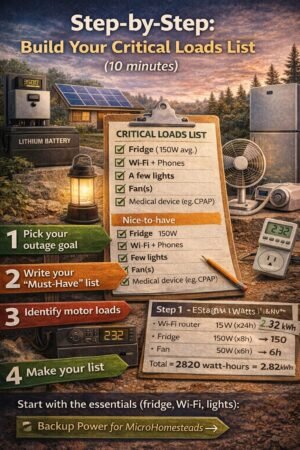
Step-by-step: build your Critical Loads List (10 minutes)

Step 1) Pick your outage goal

Choose one:

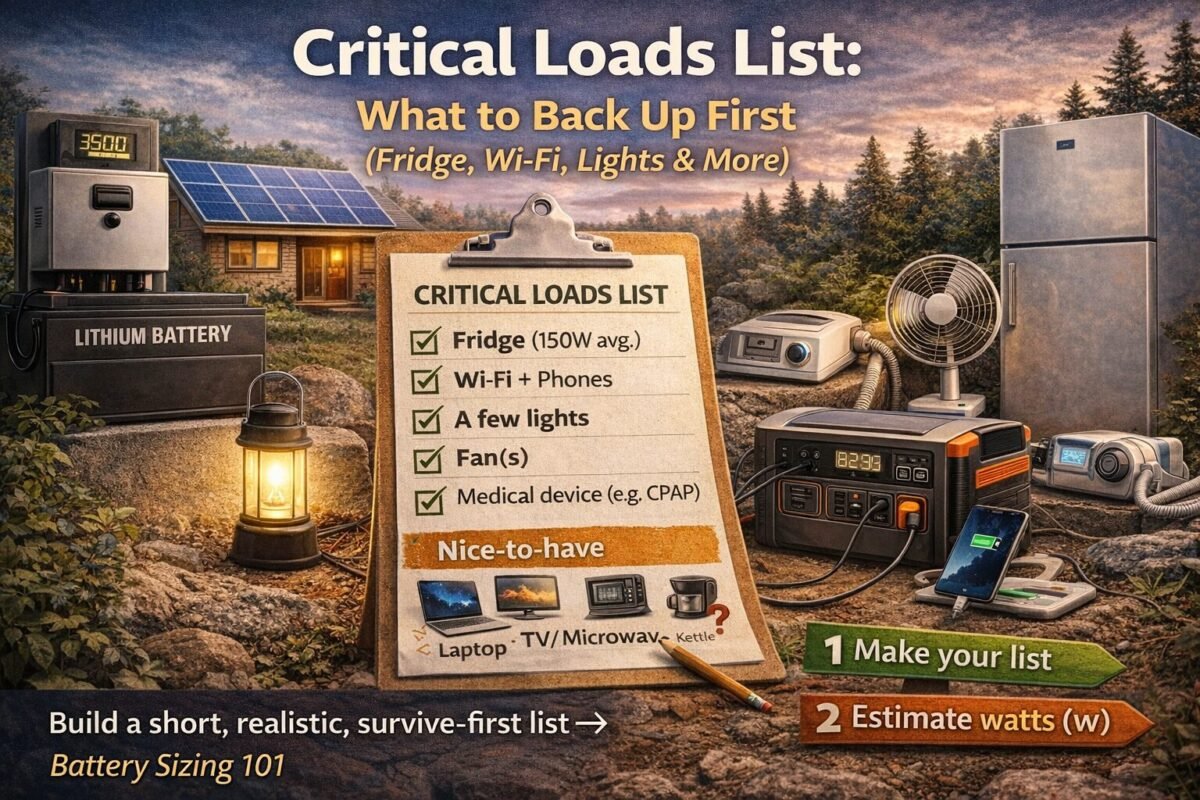
Goal A: “Keep it running”

  • Fridge/freezer
  • Wi-Fi + phones
  • A few lights
  • Fan(s)
  • Medical device (if needed)

Goal B: “Comfort mode”

Everything in Goal A, plus things like:

  • microwave sometimes
  • TV/laptop for longer use
  • more fans
  • maybe a small window AC (this gets battery-hungry fast)

Goal C: “Whole-home”

This is where you start talking about:

  • central AC
  • well pumps (if applicable)
  • larger inverter capacity
  • more battery
  • likely a subpanel plan

Related reading (system style matters):
/grid-tied-vs-off-grid-solar-which-system-fits-you/


Step 2) Write your “Must-Have” list (start small)

Here’s the “don’t regret it later” starter set:

  • Fridge
  • Freezer (if you have one)
  • Wi-Fi/router
  • Phone charging
  • A few LED lights
  • One fan per sleeping area
  • Medical devices (CPAP, oxygen concentrator, etc.)

If you stop here, you’re already ahead of 90% of people.


Step 3) Add “Nice-to-have” (optional)

These are easy to add later, but don’t start here:

  • Microwave (short bursts)
  • Coffee maker/kettle (short bursts, big watts)
  • Laptop/office gear
  • TV
  • Extra lights
  • Small tools charging

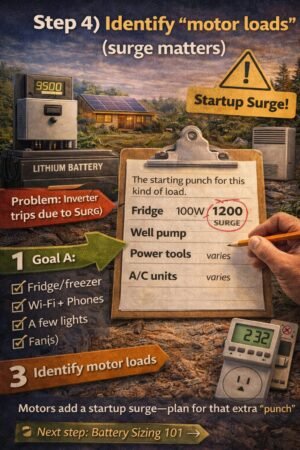
Step 4) Identify “motor loads” (surge matters)

These loads may need a startup surge:

  • fridge/freezer compressors
  • well pump
  • sump pump
  • some power tools
  • some AC units

This is the part that trips inverters.

If you want a simple explanation of the difference:
Battery Sizing 101 (kWh vs kW vs Surge)


Quick reference table: common critical loads (ballpark watts)

These are “starter estimates.” If you can, measure real usage with a plug-in power meter.

LoadTypical running wattsSurge?Notes
Wi-Fi router10–20WNoEasy win, run it 24/7
Phone charging5–20WNoMultiply by number of devices
Laptop30–90WNoDepends on workload
LED light (each)8–15WNoMultiply by how many
Fan20–80WNoBig comfort per watt
Fridge (average)100–200WYesCycles; start surge
Chest freezer (average)80–150WYesCycles; start surge
Microwave800–1500WNoBig peak, short use
CPAP30–60WNoSome use more with humidifier
Well pumpvaries a lotYes (big)Treat as “special load”

Want to understand why solar doesn’t help at night without storage?


Printable worksheet (copy/paste)

Paste this into Notes, a Google Doc, or print it.

Critical Loads Worksheet

  • Load:
  • Running watts (W):
  • Hours/day used:
  • Daily energy (Wh/day): watts × hours
  • Surge? (Y/N):
  • Priority: Must / Nice / Later
  • Notes: (extension cord? hardwired? needs subpanel?)

If you want the math-ready version, your next step is the battery sizing post


My “microhomestead-style” critical loads list (example)

Here’s a realistic list I’d start with for most small homes:

Must-Have

  • Fridge
  • Wi-Fi + phone charging
  • 4–8 LED lights
  • 1–2 fans
  • Medical device (if needed)

Nice-to-have

  • Laptop
  • Microwave (short bursts)
  • Extra fan for daytime

Later

  • AC
  • Water heater
  • Dryer, oven, big resistive loads

That’s the mindset: survive → comfortable → whole-home.


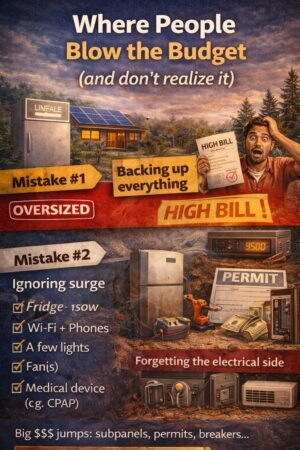
Where people blow the budget (and don’t realize it)

This is the “it sounded simple until…” section.

Mistake #1: Backing up everything

This is how you accidentally size your system for your entire lifestyle instead of your actual outage needs.

Mistake #2: Ignoring the surge

A fridge can look like “150W” and still trip a weak inverter.

Mistake #3: Forgetting the electrical side

Critical loads often lead to extra work:

  • subpanel plans
  • wiring changes
  • permits
  • main panel constraints

That’s why I always tell people to read this early:
/hidden-costs-of-solar-avoid-budget-killing-surprises/


Do I need a critical loads subpanel?

Maybe. Here’s the simple rule:

  • If you’re doing portable power stations + extension cords, you may not need one (just be safe and realistic).
  • If you’re doing whole-home backup or hardwired battery systems, a subpanel (or other load management plan) is common.

If you want to understand the building blocks, this helps:
/solar-panel-system-components-explained/


“Keep it simple” options (camping/RV style)

If your goal is lights, phones, Wi-Fi, and maybe limited fridge support, small systems can work well.

Start here:
/portable-solar-panels-camping/


Safety note (please don’t skip)

Anything involving your electrical panel, transfer equipment, or permanent wiring should be handled by a licensed electrician and follow local code. This post is educational only.


FAQ

What are the most important critical loads?

For most homes: fridge/freezer, Wi-Fi/phones, a few lights, and fans. Add medical devices if needed.

How do I estimate my fridge’s energy use?

Best method: measure with a plug-in meter over a day or two. If you can’t, use a conservative estimate and build in a cushion.

Can I run a fridge from a small power station?

Sometimes—especially short-term—but fridges have surge and cycle behaviour that can surprise you. Your inverter rating (kW) matters, not just battery size (kWh).
/battery-sizing-101-kwh-kw-surge/

What should I do after I make my list?

Turn it into battery sizing math and pick your backup style:

Battery Sizing 101: kWh vs kW vs Surge (Explained Simply)

Size backup power the easy way: list critical loads, calculate daily kWh, account for surge watts, then pick the right battery + inverter. Understanding battery sizing for solar is essential for optimal performance.

Battery sizing for solar is a critical component in ensuring you have reliable energy storage. Proper battery sizing for solar can prevent issues like overloading or underutilizing your system.

When I first started looking at batteries, I thought it was a simple question:

“How many hours will this battery last?”

Turns out, that’s only half the story.

Battery sizing gets confusing because we’re really juggling two different problems:

  • kWh = how long you can run stuff (energy)
  • kW = how much you can run at once (power)
  • Surge watts = the momentary “kick” some appliances need (starting power)

If you size for only one of these, you can end up with a battery that looks great on paper… but trips, shuts off, or disappoints when you actually need it.

Let’s fix that.


TL;DR

  1. Make a critical loads list (what you must run).
  2. Calculate your daily energy (kWh/day).
  3. Check your peak watts + surge (kW).
  4. Choose battery size with a little “real life” cushion for losses + cloudy days.
  5. Don’t forget the hidden add-ons (panel upgrades, subpanels, electrical work).

Start here (Backup Power hub): /backup-power-for-microhomesteads/
Related: /hidden-costs-of-solar-avoid-budget-killing-surprises/


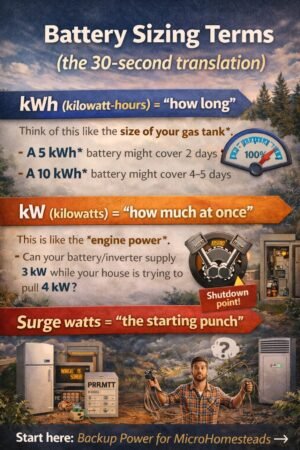
Battery sizing terms (the 30-second translation)

When considering your setup, remember that battery sizing for solar impacts not only efficiency but also your overall system reliability.

kWh (kilowatt-hours) = “how long”

Think of this like the size of your gas tank.

If your loads use 2 kWh per day, then:

  • A 5 kWh usable battery might cover ~2 days (in perfect conditions)
  • A 10 kWh usable battery might cover ~4–5 days

Ultimately, effective battery sizing for solar will ensure you have the right amount of power when you need it most.

kW (kilowatts) = “how much at once”

This is like the engine power.

If your battery/inverter can supply 3 kW, and your house tries to pull 4 kW, something gives (usually: shutdown).

Surge watts = “the starting punch”

To successfully implement battery sizing for solar, you must consider the unique demands of your energy needs and the expected performance of your system.

Motors do this all the time:

  • fridge compressor start
  • Well pump start
  • power tools
  • some AC systems

When estimating energy needs, keep the principles of battery sizing for solar at the forefront of your planning process for better results.

You might run a fridge at 150W… but it may spike much higher for a second or two at startup.


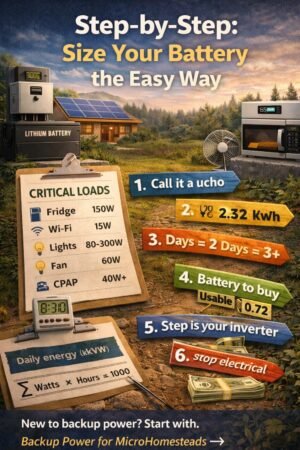
Step-by-step: size your battery the easy way

Step 1) List your critical loads (don’t skip this)

Write down what you truly want running in an outage.

Here are common “microhomestead critical loads”:

  • Fridge + freezer
  • Wi-Fi/router + phones
  • A few lights
  • Fans
  • Medical devices (CPAP, etc.)
  • Laptop/charging
  • (Maybe) microwave/kettle occasionally
  • (Maybe) well pump (big surge!)

If you haven’t done it yet, create a simple list first. (I like a clipboard list I can literally grab during a storm.)


Step 2) Estimate watts (W) and hours per day

You can get watts three ways:

  1. Nameplate label on the device (easy, but sometimes misleading)
  2. Kill-A-Watt / power meter (best for plug-in devices)
  3. Manufacturer spec sheet (useful for pumps/AC)

Quick starter table (ballpark)

Use this as a starting point—verify your real numbers if possible.

LoadTypical watts (running)Notes
Wi-Fi router10–20WEasy win
LED light (each)8–15WMultiply by how many
Phone charging5–20WDepends on fast charging
Laptop30–90WWorkloads vary
Fan20–80WHigh impact over time
Fridge (average)100–200WCycles on/off
Chest freezer (average)80–150WCycles on/off
Microwave800–1500WShort bursts, big peak
Well pumpvaries a lotOften big surge

Understanding the importance of battery sizing for solar will allow you to maximize the efficiency and effectiveness of your energy system.

Step 3) Calculate daily energy (kWh/day)

This is the math that makes everything click.

Daily kWh = Σ (Watts × Hours) ÷ 1000

Example “Keep-it-running” kit

Let’s say you want:

  • Fridge (average 150W) for ~8 hours/day equivalent (because it cycles)
  • Wi-Fi (15W) for 24 hours
  • 6 LED lights (10W each) for 5 hours
  • 2 phones (10W each) for 3 hours
  • One fan (50W) for 8 hours

Daily kWh estimate:

  • Fridge: 150W × 8h = 1200Wh = 1.2 kWh
  • Wi-Fi: 15W × 24h = 360Wh = 0.36 kWh
  • Lights: 60W × 5h = 300Wh = 0.3 kWh
  • Phones: 20W × 3h = 60Wh = 0.06 kWh
  • Fan: 50W × 8h = 400Wh = 0.4 kWh

Total ≈ 2.32 kWh/day

That’s your “how long” number.


Step 4) Decide how many days you want (autonomy)

Be honest about your outage reality:

  • 0.5–1 day: “I just need overnight + morning.”
  • 1–2 days: “Short outage buffer.”
  • 3+ days: “Storms / repeated outages / cloudy stretch.”

If you’re pairing with solar, your “days” might be fewer if you can reliably recharge. If you’re in a cloudy stretch scenario, days matter more.

Related read: /do-solar-panels-work-at-night-cloudy-day-truths/


Step 5) Convert “usable battery” to “battery you must buy”

Here’s the part people forget: you don’t get to use 100% of a battery.

Two common reductions:

  • Depth of Discharge (DoD): Many modern batteries allow ~80–90% usable
  • System losses: inverter + wiring + conversion losses (often 10–15%)

A safe, simple planning assumption:

  • Usable fraction ≈ 0.8 (DoD) × 0.9 (losses) = 0.72 usable

Battery size formula (rated kWh)

Rated battery kWh ≈ (Daily kWh × Days) ÷ 0.72

Using our example:

  • Daily kWh: 2.32
  • Days: 2

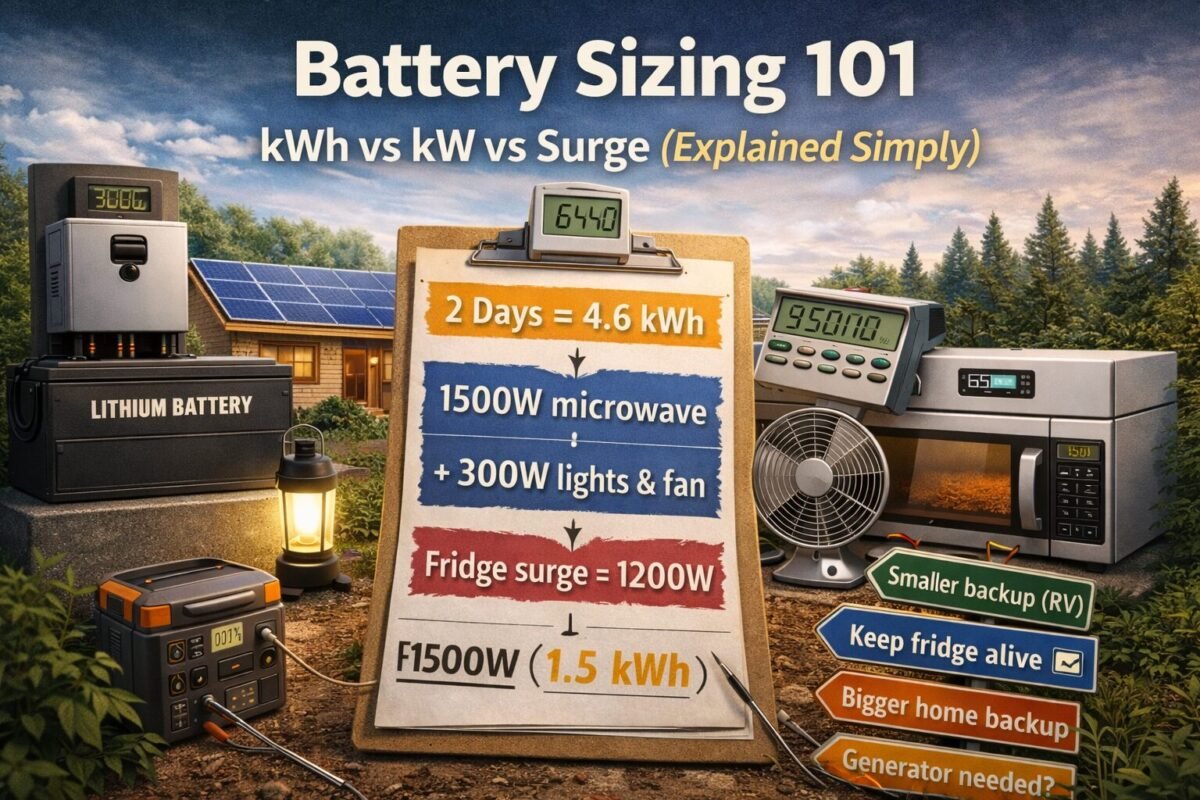
Rated kWh ≈ (2.32 × 2) ÷ 0.72
= 4.64 ÷ 0.72
= 6.44 kWh

Incorporating battery sizing for solar into your planning can help ensure that your system meets all expected loads effectively.

So you’d look at something like ~7–10 kWh rated if you want two days with a cushion.


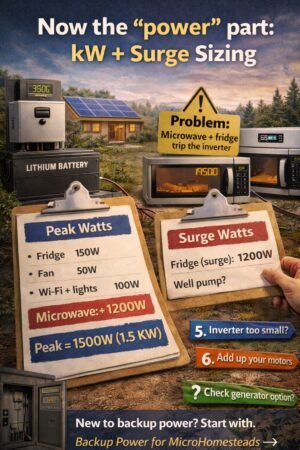
Now the “power” part: kW + surge sizing

A battery can have plenty of kWh and still fail if the inverter can’t handle your peak.

Step 6) Estimate your peak watts (what runs at the same time)

Ask: “What might be ON together?”

Example peak scenario:

  • Fridge running: 150W
  • Fan: 50W
  • Wi-Fi + lights + charging: 100W
  • Microwave: 1200W (if someone uses it)

Peak running watts ≈ 150 + 50 + 100 + 1200 = 1500W (1.5 kW)

If your inverter is only 1 kW, you’re going to hate life.

Step 7) Account for the surge

Motors can surge 2–7× for a moment.

Practical approach:

  • If you have a fridge/freezer only, many systems handle it fine.
  • If you have well pumps or large compressors, you must plan surge carefully.

Rule of thumb I use:
If you’re backing up motors (fridge/freezer/pump), pick an inverter that can handle your peak running watts plus startup surge without tripping.

If you’re unsure, don’t guess—treat pumps as “special loads” and look up their specs.

Effective battery sizing for solar can save you money in the long run by preventing costly upgrades and ensuring adequate energy supply.


Simple decision paths (pick one)

A: “Keep it simple” (phones/lights/Wi-Fi + small devices)

  • Great for apartments, small homes, quick outages, camping/RV style
  • Battery target: 1–3 kWh
  • Inverter target: 300–1000W
    Related: /portable-solar-panels-camping/

B: “Fridge + basics” (most common)

  • Battery target: 5–10 kWh (depends on fridge/freezer use + days)
  • Inverter target: 1–3 kW (depends on what you’ll run together)

C: “Comfort backup” (fridge + freezer + fans + more household use)

  • Battery target: 10–20+ kWh
  • Inverter target: 3–8+ kW
  • Often pairs well with a critical loads subpanel and careful planning

D: “Long outages / cloudy stretches.”


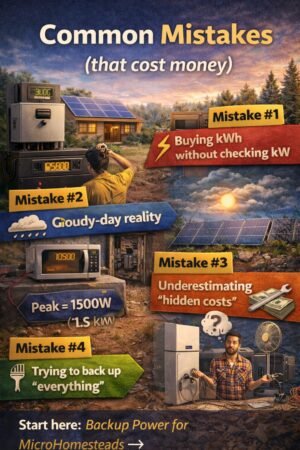
Common mistakes (that cost money)

1) Buying kWh without checking kW

You buy a “big battery” and then learn it can’t start your loads. Painful.

2) Ignoring cloudy-day reality

Solar recharging is amazing—until it isn’t. Plan for at least some low-sun days.

3) Underestimating “hidden costs.”

Subpanels, main panel upgrades, conduit runs, permits… these can surprise people.
Read: /hidden-costs-of-solar-avoid-budget-killing-surprises/

4) Trying to back up “everything.”

Start with critical loads first. You can always expand later.


FAQ

How big a battery do I need to run a fridge overnight?

It depends on your fridge’s efficiency and how often it cycles. A common starting point is to estimate 1–2 kWh for the fridge portion for overnight, then add your other loads and losses. If you want reliable results, measure with a plug-in power meter.

What’s the difference between battery capacity and inverter size?

Battery capacity (kWh) is the runtime. Inverter size (kW) is how much you can run at once, including surge.

Can I size smaller if I have solar panels?

Many factors influence battery sizing for solar, so consider all variables before making your decision.

Should I go “whole home” backup?

With battery sizing for solar, you can ensure that your backup system meets the specific demands of your household.


Next step (don’t stop here)

  1. Build your Critical Loads List (it makes everything easier).
  2. Run this math with your real appliances (or at least a realistic estimate).
  3. If you’re still choosing system type, read:

For those considering their options, battery sizing for solar provides a clear framework for developing an efficient energy storage solution.

Knowing the principles of battery sizing for solar is essential for anyone looking to create a self-sufficient energy system.

In the context of energy management, battery sizing for solar becomes a key aspect of planning for efficiency and sustainability.

Consideration of battery sizing for solar allows for tailored solutions that meet the specific needs of your household or business.

Ultimately, success in solar energy systems hinges on proper battery sizing for solar and understanding how to harness stored energy.

With the correct approach to battery sizing for solar, users can achieve a balance between immediate energy demands and long-term sustainability.

The journey toward effective energy management starts with the concepts of battery sizing for solar and its significance in your energy strategy.

To optimize your energy performance, prioritize battery sizing for solar and its role in your overall system design.

By committing to thorough battery sizing for solar, you can enhance your energy resilience and reliability.